Wednesday, September 9, 2026

Video Alarm Clock: Wake Up to Your Own Videos on an ESP32-P4

ESP32-P4 · DIY bedside project
Wake up to a video, not a beep
A 720×720 touchscreen alarm clock that plays your own videos from microSD — built around a Waveshare ESP32-P4 board.

A normal alarm clock wakes you with a sound. I wanted something a little more personal: a bedside clock that could start the day with a favourite music video, a family recording, holiday footage, or anything else I choose.

That idea became Video Alarm Clock, my latest ESP32-P4 project. It is a complete standalone clock with a 720×720 touch display, built-in speaker, alarms that survive a power cut, Wi-Fi time synchronisation and over-the-air firmware updates.

Video Alarm Clock showing its main clock face
The clock face on the 720×720 ESP32-P4 touchscreen.

The hardware

The project runs on the Waveshare ESP32-P4-WIFI6-Touch-LCD-4B. It combines an ESP32-P4, a square MIPI-DSI touchscreen, touch controller, audio codec, speaker, 32 MB of flash and 32 MB of PSRAM on one board. A microSD card holds the videos, while a small 3D-printed stand turns the development board into something that sits naturally on a bedside table.

720×720
touch display
Local playback
video from microSD
Built-in audio
speaker and volume control

What it does

  • Multiple repeating alarms — choose the time, weekdays and video for each alarm.
  • Snooze and alarm-off controls — large touch buttons, plus volume and brightness controls while the alarm is playing.
  • Power-cut-safe storage — alarms remain saved when power is removed.
  • Automatic time setting — Wi-Fi and NTP keep the clock accurate, although it can also run offline using its RTC.
  • On-device media management — the Media screen temporarily opens an FTP upload service so converted videos can be sent straight to the clock.
  • Safe OTA updates — updates are started manually from the About screen, with automatic rollback if a new version fails to boot.
Video Alarm Clock alarm screen with snooze, alarm off, volume and brightness controls
The alarm screen keeps the important controls large and obvious.

Getting video onto a small device

The ESP32-P4 is much more capable than earlier ESP32 chips, but it is still not a desktop computer. The player therefore uses one predictable media format: 720×720 MJPEG video with 44.1 kHz PCM stereo audio in an AVI container.

The repository includes a videoclock conversion tool. Give it a local video file, and it converts the source to the correct format. Add the clock’s IP address and it uploads the result directly. The media server only runs while the Media screen is open, so it is not quietly exposing an FTP service all day.

./videoclock holiday.mov wakeup.avi 192.168.0.201

From bare board to bedside clock

I also designed a simple 15° stand for the display. The repository contains both the printable STL and the OpenSCAD source. It prints flat without supports and can be modified easily. The stand is released into the public domain under CC0; the firmware and supporting tools are free for non-commercial use.

See it running

Both short videos below show an alarm going off and the clock playing the selected video.

Build your own

The GitHub repository contains the firmware binaries, a browser-based installer, terminal flashing scripts, the video conversion and upload tools, the printable stand, and full setup instructions. After the first flash, future firmware releases can be installed over Wi-Fi from the clock itself.

Sunday, August 23, 2026

nn20vps: Visual Positioning on a $25 device

I have been experimenting with a fairly simple question:

Can a small, low-cost embedded device work out where a drone is from what its camera sees, without GPS?

That experiment became nn20vps, a proof-of-concept visual positioning system running fully locally on an ESP32-P4.

The goal is not to replace GPS. GPS is more accurate, cheaper in terms of compute, and should obviously be used whenever it is available. The interesting case is what happens when GPS is no longer available.

Could a drone still determine its approximate position well enough to return home or continue along a planned route?

Running the complete VPS on the ESP32-P4

The current implementation runs the complete positioning pipeline on a roughly $25 ESP32-P4 board.

A downward-looking camera image is processed into an embedding and compared with a database of reference imagery. Rather than trusting a single image match, nn20vps combines candidates over time and maintains a position estimate while the aircraft moves.

The complete pipeline includes:

  • image conditioning
  • neural-network embedding
  • vector search
  • temporal tracking
  • cold-start localisation
  • position recovery after a lost track

The embedded vector search is powered by nn20db, my vector database designed for resource-constrained devices.

The system uses two search levels. A fast local search runs around the currently estimated position, while a slower full-map search can search the complete reference database.

The local search handles normal tracking. The full-map search is used for a cold start, recovery after losing the position, and periodic checks to catch a track that has drifted.

That makes a genuine cold start possible: the device can begin without being told its location and search the complete map to find itself.

An 81 km² test area

For the demo I built an approximately 9 × 9 km, or 81 km², reference area around Ghent and Merelbeke in Belgium.

The reference maps come from public orthographic imagery published by Digitaal Vlaanderen.

One thing I specifically wanted to avoid was testing against exactly the same imagery used to create the model and reference database. That would produce impressive results, but would tell me much less about actual visual localisation.

The model and reference database were built using winter 2025 and summer 2021 imagery.

The demo flights use held-out epochs such as winter 2022, winter 2023, winter 2024 and summer 2018.

That means the system has to deal with different foliage, lighting, shadows, vehicles and changes in the landscape rather than simply matching against an identical image.

Current results

On a cross-season test flight running on the ESP32-P4, the system achieved:

  • 55 m median positioning error
  • 183 m p90 positioning error
  • 0.94 Hz camera frame rate
  • recovery from a 1,425 m error down to 28 m

That last number is probably the most interesting one.

The local tracker had drifted far enough that the correct position was outside its search window. The full-map search then searched the complete reference area and successfully re-acquired the aircraft, reducing an error of 1,425 m to 28 m.

For GPS, tens of metres would obviously be poor accuracy.

For a low-cost fallback system whose job is to answer "where am I roughly?" after GPS has disappeared, it starts to become useful.

The simulator

I also built a drone simulator around the system.

The simulator runs on a desktop and provides camera images and simulated telemetry, while the actual VPS runs on the ESP32-P4. Nothing about the positioning system itself is simulated.

The simulator knows the real aircraft position, but the VPS does not. Camera frames are generated from the absolute simulated position, never from the VPS estimate. Otherwise the simulation would become circular and positioning drift could not be tested properly.

The interface therefore shows two positions:

  • the real simulated aircraft position
  • the position reported by the ESP32-P4

It also supports waypoint-to-waypoint flights and lets me introduce disturbances such as wind, compass bias, odometry scale error and visual odometry noise.

What is published

I decided to publish the project as an evaluation/demo kit rather than keep tuning it indefinitely.

The repository contains:

  • the Python drone simulator
  • map download and preparation tools
  • prebuilt ESP32-P4 firmware
  • the nn20db reference database
  • instructions for reproducing the demo

The VPS core itself is written in C and is not published as source at this stage.

The idea is to make the proof of concept easy enough for other people to run and experiment with, and to see whether the approach is interesting before taking it much further.

What is still missing

This is very much a proof of concept.

The current testing uses orthographic map imagery in the simulator. The obvious next validation step is real downward-looking drone footage, ideally around 70 metres altitude, together with real telemetry.

That will introduce additional problems that the simulator does not fully reproduce: lens distortion, vibration, motion blur, camera attitude, altitude errors and a much larger visual difference between the live camera and the reference orthophoto.

That is the test that should show whether the current results translate into something genuinely useful outside the simulator.

For now, though, I think it has reached the point where it is more interesting to let other people try it than to keep polishing the same demo.

Sunday, June 28, 2026

Recent ESP32 Projects: Vector Search, Video Fingerprints and Off-Grid LoRa Text

Over the last months I have been experimenting with a few ESP32 projects around one recurring idea: what can still be done locally, on small and cheap hardware, without depending on a server or cloud service?

This post collects the latest projects: nn20db SDK, a Word2Vec vector-search demo on ESP32-S3, a video fingerprinting demo, and a LoRa / TrailText messaging project.


1. nn20db SDK

nn20db is my small persistent vector-search SDK for Linux and embedded devices. The main idea is to search a database far larger than available memory, directly from persistent storage.

The SDK is aimed at experiments where the index can be built on Linux and then searched on-device, for example on ESP32-S3 or ESP32-P4. It is not meant to beat server vector databases on raw QPS. It is about making useful vector search possible where RAM, CPU and storage are limited.

ESP32-S3 ESP32-P4 HNSW persistent storage offline search

GitHub: https://github.com/brunokeymolen/nn20db-sdk

2. Word2Vec Search on ESP32-S3

This demo uses a Word2Vec index and lets an ESP32-S3 perform nearest-neighbour search locally. The Linux side does the word lookup and vector arithmetic, then sends a single 300-dimensional float32 query vector to the ESP32-S3. The ESP32-S3 searches the index on the SD card and returns the nearest words.

Example queries include simple word lookups and classic vector arithmetic such as: king - man + woman.

GitHub: https://github.com/brunokeymolen/nn20db-word2vec

3. Video Fingerprinting on ESP32-S3

This is a visual demo of local video fingerprinting on an ESP32-S3. The device captures frames from a screen, creates fingerprints, and searches locally to identify the matching video/time.

What I like about this demo is that it makes vector search very tangible: the ESP32 is not just running a toy example, it is matching real visual input against a local database.

4. LoRa Experiments and TrailText

The LoRa project contains two practical ESP32-S3 + SX1262 experiments: a simple Ping-Pong range/radio sanity test, and TrailText, a BLE-to-LoRa text messenger.

TrailText is meant for situations where normal networks are not available. A phone connects to the ESP32 over BLE, the ESP32 handles the LoRa side, and messages are sent to another device.

TrailText banner - text when networks fail

LoRa Ping-Pong

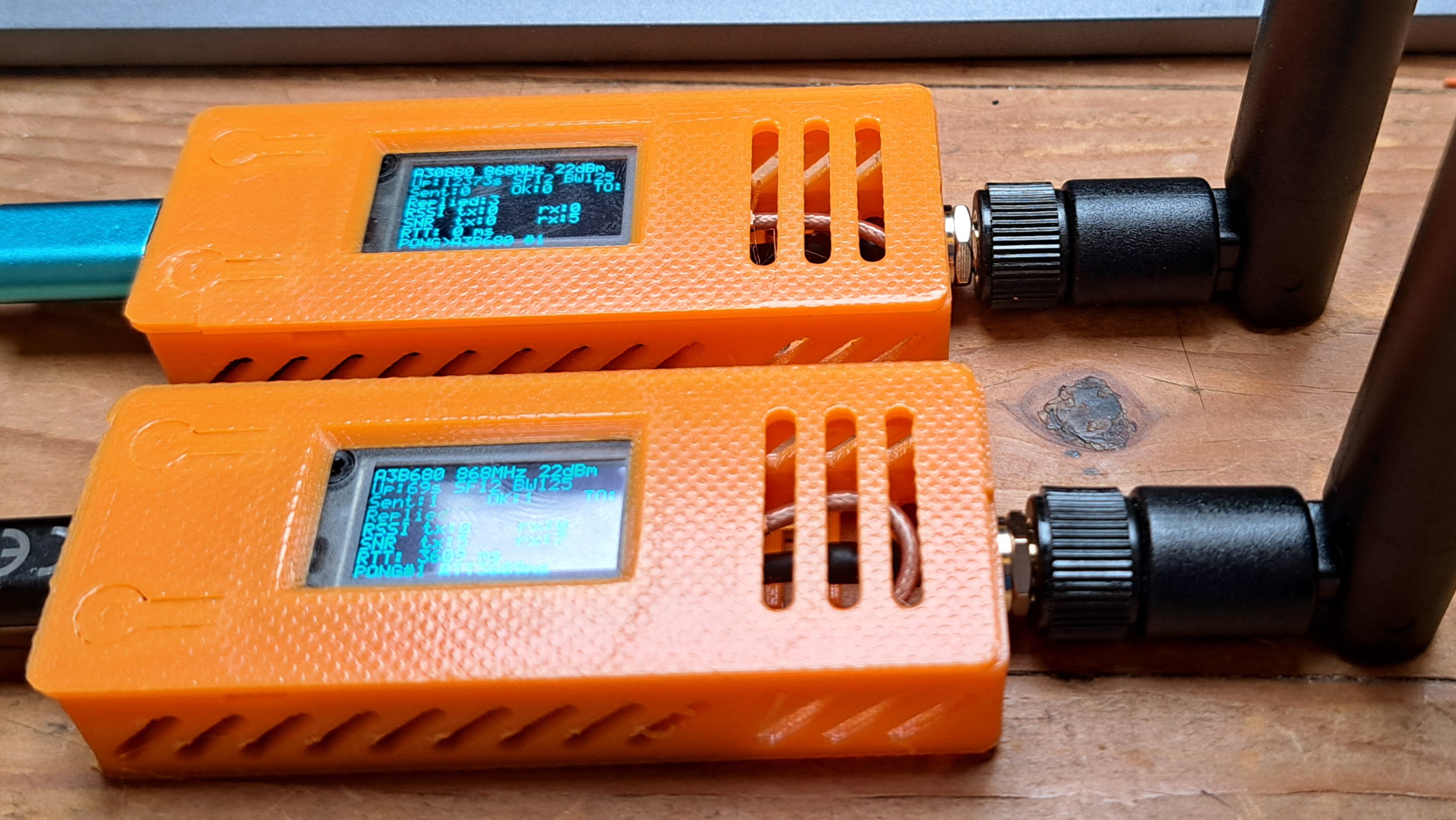
The Ping-Pong firmware is the first thing to flash when testing boards, antennas, frequency, RSSI and SNR. It keeps the radio path simple before moving on to encrypted messaging.

Two Heltec LoRa boards running Ping-Pong firmware

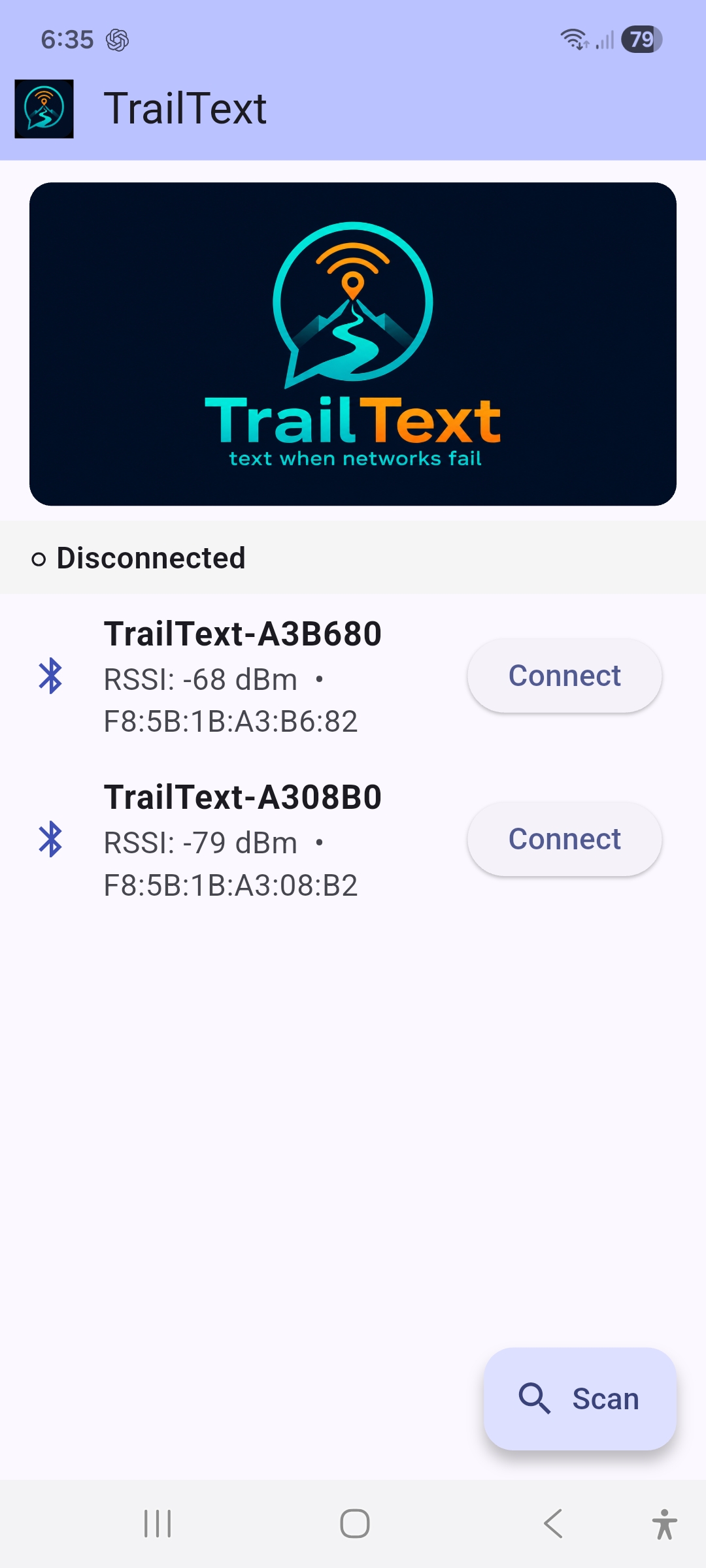
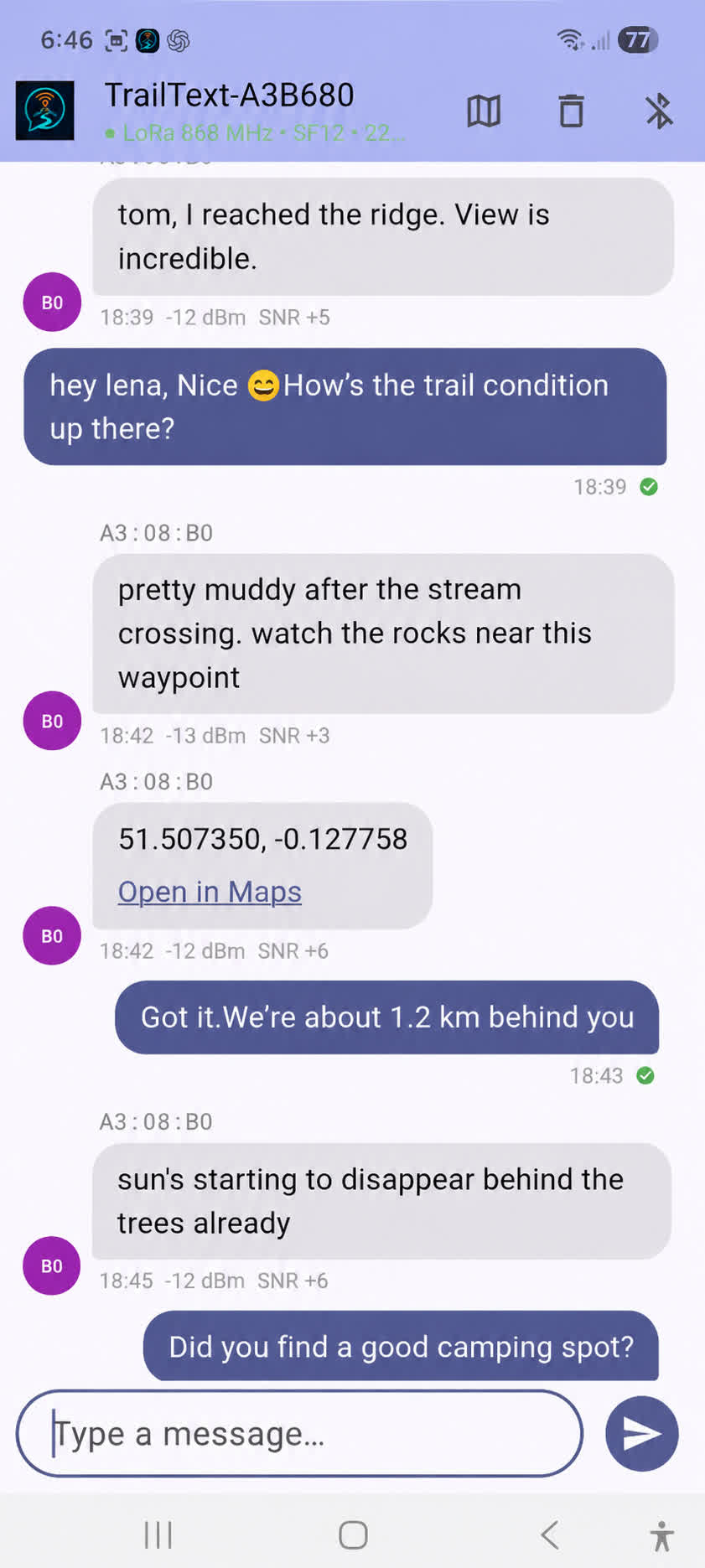
TrailText app screenshots

TrailText start screen ``` TrailText chat screen ```

GitHub: https://github.com/brunokeymolen/lora


What connects these projects?

For me, these are all experiments in the same direction: making small devices do more useful work locally. Sometimes that means searching a large vector index from SD card. Sometimes it means recognizing video frames. Sometimes it means sending text without mobile coverage.

The ESP32 is obviously not a server, and that is exactly what makes these experiments interesting. You have to think about RAM, storage layout, latency, power, radio range and the real limits of the hardware. But when it works, it opens up a lot of fun edge-computing use cases.

More details and source code are available here: